How to Login to Paisa X Go
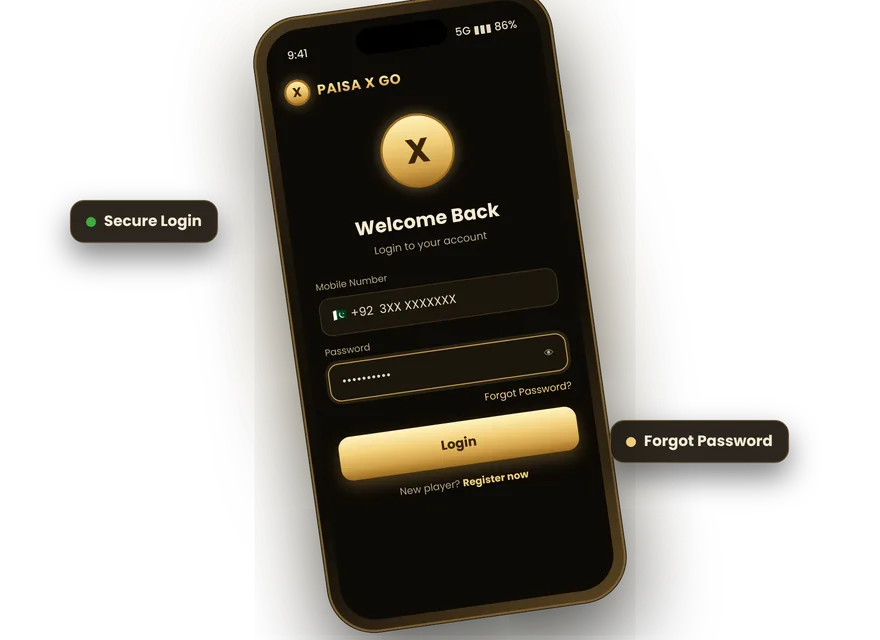
- Open the Paisa X Go app on your phone.
- Tap Login.
- Enter your registered mobile number.
- Type your password.
- Tap Login to open your account. Then add money from the Deposit section.
New player? Create an account first on the Paisa X Go Register page.
Paisa X Go Login in Pakistan
The app is made for Pakistani numbers, so you log in with your 03XX number. It works on Jazz, Zong, Telenor, Ufone and other networks, on mobile data or Wi-Fi. If you changed your SIM, you can still log in with the same number as long as you know the password.
Forgot Password? Reset It in 1 Minute
- On the login screen, tap Forgot Password.
- Enter your registered mobile number.
- Request the OTP and enter the code from the SMS.
- Set a new password and confirm it.
- Log in with the new password.
Common Login Problems and Fixes
| Problem | Fix |
|---|---|
| "Wrong password" | Check caps lock and spaces, or use Forgot Password |
| "Account not found" | Make sure you are using the same number you registered with |
| App stuck on loading | Switch between Wi-Fi and mobile data, then reopen the app |
| App crashes on login | Install the latest version from the download page |
| OTP not arriving | Wait 60 seconds, check signal, then tap Resend |
| Account blocked | Contact customer service from the app |
Paisa X Go Online Login (Web)
Some players search for an online or web login. The Android app gives the full experience, including deposits and withdrawals. If you are on a computer, you can install the app inside an emulator. See Paisa X Go for PC. On an iPhone? Read the Paisa X Go for iPhone guide.
Login Safety Tips
- Never share your password or OTP, even with friends.
- Only use the official app from a trusted download page; fake "login apk" files can steal your details.
- Log out on shared phones.
- Change your password every few months.
Frequently Asked Questions
Can I log in to Paisa X Go on two phones?
You can log in on another phone, but keep your account active on one device to avoid security checks.
Why does the app ask for an OTP when I log in?
An OTP may be asked on a new device or after a password reset to protect your account.
Is there a Paisa X Go login apk separate from the game?
No. Login is inside the main Paisa X Go app. Avoid any separate "login apk".
I forgot which number I used. What can I do?
Contact in-app support with your account details so they can help you find it.
Play responsibly: Paisa X Go involves real money and is for adults 18+. Winnings are never guaranteed — set a budget and never chase losses.